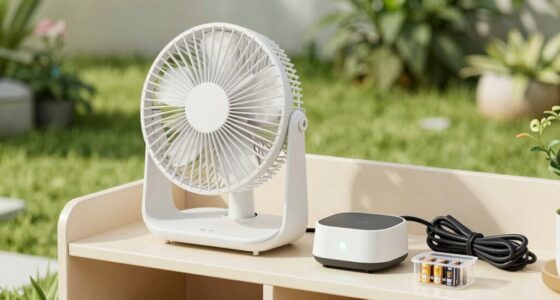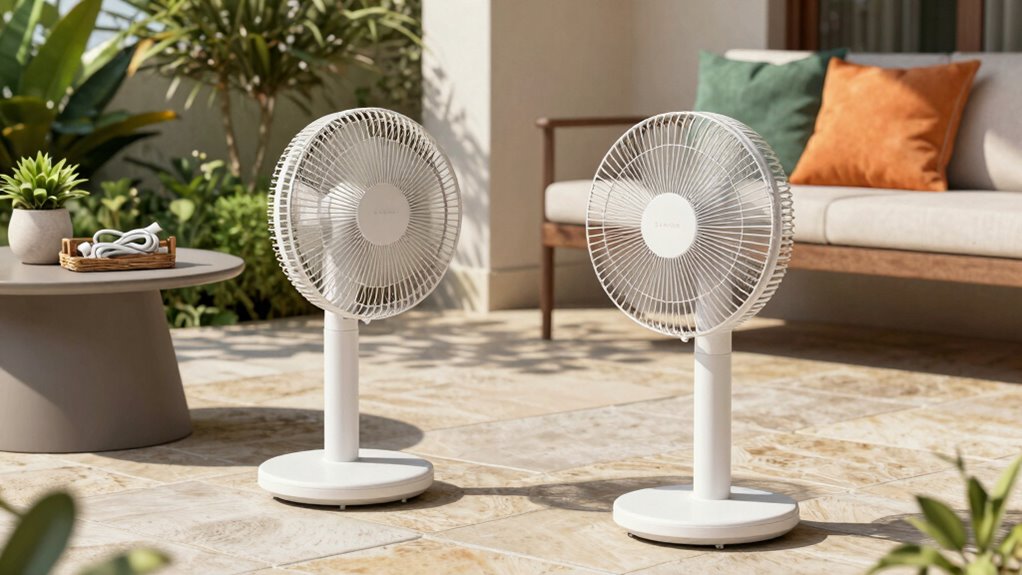

To enjoy cordless fans without turning your patio into a charging station, fully charge them before outdoor use and keep speed settings in check to extend battery life. Use timers or automatic shut-offs to conserve power, and position fans in shaded spots to reduce motor strain. Regularly clean and maintain them for peak performance. Rotating multiple units prevents early wear. Stay tuned to discover more tips to keep your outdoor cooling efficient and hassle-free.

Get garden gear delivered free with Prime
- Fast, free delivery on millions of items
- Prime Video, Amazon Music and more included
- Member-only deals all year
Key Takeaways
- Fully charge the fan before outdoor use to maximize runtime and reduce the need for frequent recharging.
- Use fans at lower speeds to extend battery life during outdoor activities.
- Incorporate timers or automatic shut-off features to prevent unnecessary power drain.
- Position fans in shaded or breezy spots to lessen motor workload and conserve battery.
- Rotate multiple fans to distribute usage and avoid overtaxing a single unit.

Enjoying your patio on a warm day shouldn’t mean sacrificing convenience for comfort. Cordless fans are a fantastic way to stay cool without tangled cords or limited reach, but managing their battery life and power consumption is essential to keep your outdoor space enjoyable. If you’re constantly worried about the fan dying mid-summer afternoon, it’s time to get savvy about power management strategies that let you use your cordless fan longer, without turning your patio into a charging station.
First, understand your fan’s battery life. Most cordless fans come with a specified runtime, which varies based on the fan’s speed setting and battery capacity. To maximize usage, start by choosing the lowest effective speed. High speeds drain the battery faster, so only crank it up when you really need that extra breeze. Keep in mind that batteries tend to lose capacity over time, so if your fan’s runtime has decreased significantly, it might be time for a replacement or to consider a model with a larger battery. Knowing your fan’s battery life helps you plan your outdoor lounging sessions better, preventing unexpected shutdowns.
Understand your fan’s battery life and adjust speed settings for longer, more reliable outdoor cooling.
Power management is your best friend when it comes to extending that precious battery life. Before heading outside, fully charge your fan’s battery so you’re starting with maximum capacity. Once outdoors, use timers or automatic shut-off features if your fan has them. This way, you avoid leaving the fan on longer than necessary, conserving power for when you really need it. Additionally, look for fans with energy-efficient motors or modes designed to reduce power consumption without sacrificing too much airflow. Some models even have smart features that adjust power based on ambient temperature, automatically balancing cooling needs with battery preservation. Incorporating energy-saving features can further enhance your fan’s efficiency and lifespan.
Another tip is to keep your fan clean and well-maintained. Dust and debris can cause the motor to work harder, draining more power than necessary. Regularly inspect and clean vents, blades, and filters to ensure smooth operation. Also, consider the placement of your fan; positioning it in a shaded or breezy spot can reduce strain on the motor, saving battery energy. If you have multiple fans, rotate their use or alternate them to prevent overtaxing any single unit, which can extend overall battery life.
In the end, staying cool on your patio doesn’t have to turn into a constant charging chore. By understanding your fan’s battery life, practicing smart power management, and keeping your equipment in top shape, you’ll enjoy refreshing breezes all summer long without the headache of frequent recharges. Being mindful of battery capacity and overall energy efficiency can make a significant difference in your outdoor comfort. This way, your outdoor comfort remains seamless and hassle-free, letting you focus on relaxing and enjoying the sunshine.
Products Worth Considering
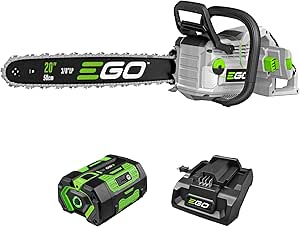
EGO POWER+ 20-Inch Cordless Chainsaw with 56V 6.0Ah Battery and Charger (CS2005)

Greenworks 48V Cordless Lawn Care Combo Kit with 20-Inch Mower, Trimmer, Blower, Batteries, and Charger

EGO Power+ 12-Inch Cordless Electric Snow Shovel with 56V 2.5Ah Battery and Charger
As an affiliate, we earn on qualifying purchases.
Frequently Asked Questions
How Long Do Cordless Fans Typically Run on a Full Charge?
Cordless fans typically run between 4 to 12 hours on a full charge, depending on the fan’s size and power setting. To maximize battery preservation, you should avoid overcharging and let the battery drain slightly before recharging. Practicing good charging etiquette guarantees your fan stays reliable. Keep an eye on the battery indicator and unplug once fully charged, so your fan’s battery remains healthy and ready whenever you need it.
Can I Use My Cordless Fan While It’s Charging?
Coincidentally, you can often use your cordless fan while it’s charging, but it depends on its battery capacity and charging efficiency. Many models are designed to operate during charging, especially with quick-charging features, ensuring you stay cool without interruption. Just check your fan’s specifications. If it supports pass-through charging, you won’t have to choose between using it or charging, making your outdoor experience more comfortable and hassle-free.
What Safety Precautions Should I Take With Cordless Fans Outdoors?
You should prioritize battery safety and outdoor placement when using cordless fans outside. Keep the fan on stable, dry surfaces away from water or moisture, and avoid exposing it to extreme temperatures. Make certain the fan’s battery is properly charged and not damaged. Regularly inspect the power cord and connections for wear. By following these precautions, you guarantee safe, effective outdoor use without risking damage or accidents.
Are There Noise Concerns With Cordless Fans on Patios?
Like a whisper in a quiet forest, cordless fans produce manageable noise levels that usually won’t disturb your outdoor acoustics. While some models emit a gentle hum, most are designed with quiet operation in mind. If you’re concerned about noise, choose fans with lower decibel ratings or operate them during less sensitive times. This way, you enjoy cool comfort without disrupting the peaceful ambiance of your patio.
How Do Weather Conditions Affect Cordless Fan Battery Life?
Weather impact greatly influences your cordless fan’s battery life. Extreme temperatures, especially heat, accelerate battery degradation, reducing overall lifespan. Cold weather can temporarily decrease battery performance, making the fan less effective. To maximize battery life, avoid exposing your fan to direct sunlight or freezing conditions for extended periods. Store and use your cordless fan in moderate weather, and consider bringing it indoors during harsh conditions to help preserve its battery health.
Conclusion
By following these simple tips, you can enjoy the gentle breeze of your cordless fan without turning your patio into a bustling charging hub. Think of it as a quiet garden, where each gust whispers through the leaves and every charge is a subtle, fleeting bloom. With a little planning, your outdoor space remains a peaceful sanctuary—a place where cool comfort and serenity blend seamlessly, leaving only the soft hum of summer’s gentle embrace.