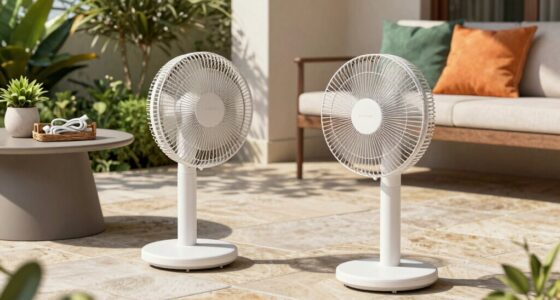
If your battery fan suddenly feels weak, start by confirming the battery is fully charged and check for corrosion or loose connections on the terminals. Inspect the fan blades and housing for dust, debris, or obstructions, and clean them if needed. Listen for unusual noises that could indicate motor or bearing issues, and test the control buttons or switches for proper operation. Monitoring these areas can help identify the cause and keep your fan running smoothly. Keep exploring for more tips to fix it quickly.
Key Takeaways
- Verify the battery is fully charged and has no signs of corrosion on terminals.
- Inspect fan blades for debris or dust buildup hindering airflow.
- Check motor operation for unusual noises or signs of strain.
- Test control switches and wiring for proper connection and functionality.
- Monitor battery health for capacity decline or early signs of performance issues.
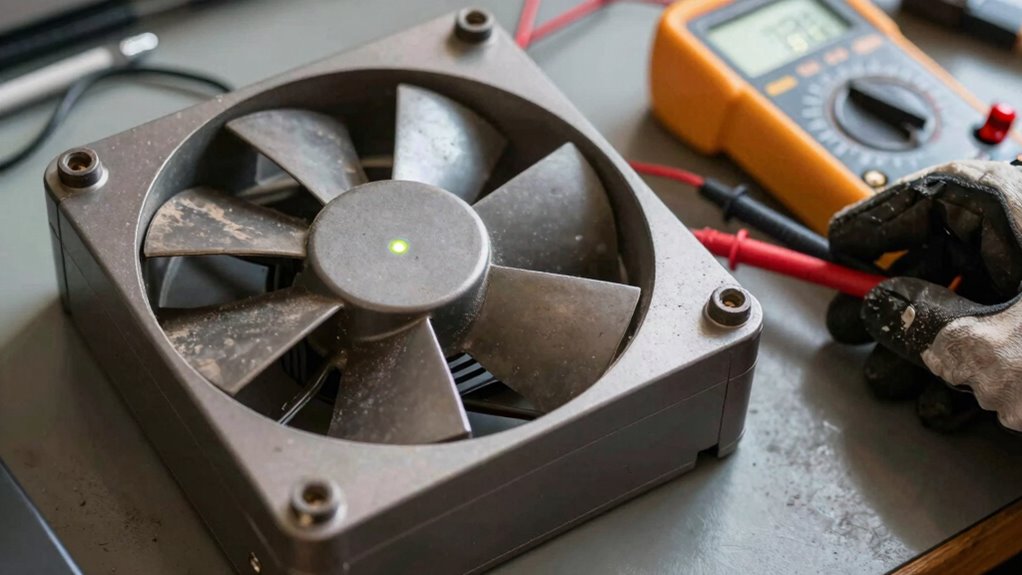
If your battery fan feels weak or isn’t providing enough airflow, it’s important to troubleshoot the issue promptly. A sudden drop in performance can be caused by various factors, and addressing them quickly can prevent further damage or complete failure. Start by considering basic battery maintenance, as a poorly maintained battery can drastically impact fan performance. Confirm the battery is fully charged and that there’s no corrosion on the terminals. Corrosion or loose connections can restrict power flow, leading to reduced fan effectiveness. Clean the terminals carefully with a wire brush or a mixture of baking soda and water if you notice any buildup. Tighten any loose connections to make sure the power supply is stable.
Next, focus on fan troubleshooting. Check if the fan blades are free of debris or dust, which can obstruct airflow and make the fan seem weaker. Sometimes, dirt or debris can accumulate over time, especially if the fan is used frequently or in dusty environments. Gently clean the blades and surrounding housing with a soft cloth or compressed air. Also, listen for any unusual noises when the fan operates, as this can indicate a problem with the motor or bearings. If the motor is struggling or making grinding sounds, it might need lubrication or replacement.
Another common cause of a weak battery fan is a malfunctioning switch or control circuitry. Test the control buttons or switches to ensure they’re functioning correctly. Faulty switches may cause inconsistent operation or prevent the fan from reaching its full power. If you suspect an electrical issue, inspect the wiring for frayed or damaged wires, which can cause power interruptions. Repair or replace damaged wiring as necessary. Additionally, battery capacity decline over time can significantly reduce fan performance, so monitoring the battery’s health is essential for troubleshooting. Regularly checking the battery health can help identify issues early before performance drops too much. Moreover, understanding the electrical components involved can assist in diagnosing complex problems effectively.

3 Pack Universal Small Size Ceiling Fan Remote Control Kit, Mini Wireless Remote Control and Receiver Kits for Ceiling Fan Lamp
- Compact Size: Fits most mini ceiling fans
- Multi-Function Control: Fan speeds, timer, light control
- BEEP Setting: Toggle beep on/off easily
As an affiliate, we earn on qualifying purchases.
As an affiliate, we earn on qualifying purchases.
Frequently Asked Questions
Can a Weak Battery Fan Cause Overheating in My Device?
Yes, a weak battery fan can cause overheating in your device. When the battery lifespan shortens, the fan might not work efficiently, leading to increased heat buildup. You may notice reduced fan noise, indicating it’s struggling to cool the system properly. This overheating can slow down your device or cause shutdowns. Regularly check your battery health and fan performance to prevent overheating and maintain ideal device functioning.
How Often Should I Replace My Battery Fan?
You should replace your battery fan roughly every 1-2 years, or when it starts making unbearable noise or feels weaker than a whisper. A fan with a limited lifespan can’t keep your device cool and might cause overheating. Keep an eye on fan noise levels and performance; if the fan sounds like a jet engine or struggles to spin, it’s time for a replacement to prevent damage.
Is a Weak Fan a Sign of a Failing Battery?
Yes, a weak fan can signal a failing battery. As the battery’s lifespan shortens, it can’t supply enough power, causing the fan to slow down or become quieter. You might also notice increased fan noise levels as the system struggles to operate efficiently. If your fan feels weak, consider checking your battery’s health and replacing it if necessary, to prevent further issues and guarantee peak performance.
Do Different Battery Types Affect Fan Performance?
Different battery types can indeed affect fan performance because battery efficiency varies among them. For example, lithium-ion batteries typically provide consistent power, ensuring better fan performance, while older or lower-quality batteries might supply less power, causing the fan to feel weak. Always consider the battery type you’re using, as a higher-quality or newer battery can help maintain peak fan performance and prevent sudden power drops.
Can External Dust Impact My Battery Fan’s Strength?
Imagine your battery fan as a tiny superhero, fighting dust buildup daily. External dust can definitely impact your fan’s strength by clogging vents and hindering airflow, which reduces fan efficiency. Think of dust as kryptonite for your fan’s power. Regular cleaning keeps it running smoothly, ensuring it stays mighty. So yes, external dust can weaken your battery fan’s performance, turning your hero into a sluggish sidekick.

DRQ Ceiling Fan Cleaner Duster with 13-48 in Extension Pole, Blue
- Easy to Store: Hanging hole for convenient storage and drying
- Adjustable Length: Extendable from 13 to 48 inches
- High-Quality Materials: Soft microfiber for effective dusting and surface protection
As an affiliate, we earn on qualifying purchases.
As an affiliate, we earn on qualifying purchases.
Conclusion
When your battery fan suddenly feels weak, remember it’s like a car losing its spark—you need to check the basics first. Inspect the power source, connections, and any visible signs of damage. Don’t forget to test the motor itself. Addressing these simple checks can often revive your fan’s strength, keeping it running smoothly. Think of it as giving your device a quick tune-up—sometimes, all it takes is a little TLC to get things back in motion.
rechargeable fan battery replacement
As an affiliate, we earn on qualifying purchases.
As an affiliate, we earn on qualifying purchases.

HowFixit 12-in-1 Electronics Opening Tool Kit, Professional Anti-Static Spudger Set with Plastic & Metal Pry Tools for Laptop, MacBook, PC, PS4, PS5, Xbox, Switch, Controller Repair
- Versatile Disassembly Tool: Suitable for laptops, consoles, and PCs
- Safe and Durable Materials: ESD-safe plastic and sturdy metal tools
- Ideal for Game Console Repairs: Perfect for opening and maintaining gaming devices
As an affiliate, we earn on qualifying purchases.
As an affiliate, we earn on qualifying purchases.