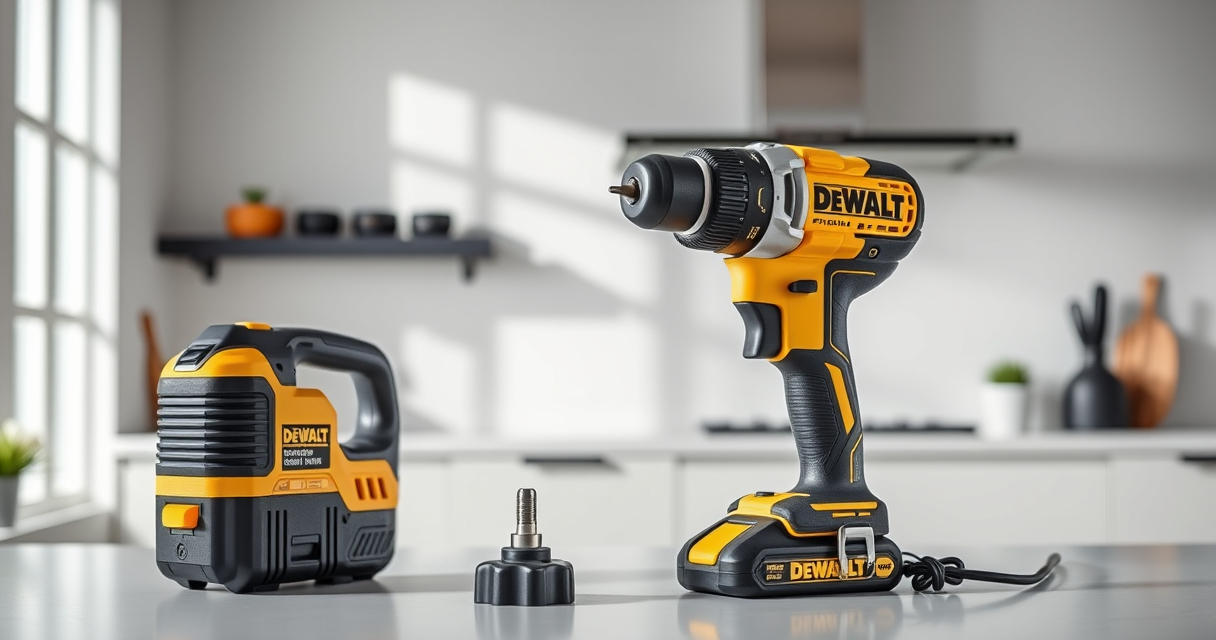

If your DEWALT power tools are overheating during use, it can lead to reduced performance, damage to the tool, or safety hazards. Overheating is often caused by prolonged use, overloading, or insufficient cooling. Addressing these issues quickly can extend the life of your tools and keep your projects on track.

Get garden gear delivered free with Prime
- Fast, free delivery on millions of items
- Prime Video, Amazon Music and more included
- Member-only deals all year
In this guide, you’ll find clear, step-by-step instructions to diagnose and fix overheating problems, along with safety tips and recommended maintenance practices to prevent future issues with your DEWALT power tools.
Key Takeaways
| Overheating causes | Prolonged use, overloading, or poor ventilation. |
| Immediate action | Allow the tool to cool down before further use. |
| Maintenance | Regular cleaning and inspection can prevent overheating. |
| Proper use | Avoid overloading the tool or using it beyond its capacity. |
| Cooling aids | Use cooling fans or air flow to help dissipate heat. |
Identify the Overheating Symptoms
Before attempting repairs, recognize signs of overheating. Common indicators include a burning smell, the tool shutting down unexpectedly, excessive heat on the body or vents, or reduced performance. If your DEWALT drill or impact driver feels unusually hot to touch, or if its LED warning indicators activate, it’s time to troubleshoot.
Understanding these symptoms helps you determine whether the problem is simple overheating or a sign of a more serious issue like motor damage or electrical faults.
Power Down and Allow Cooling
- Immediately stop using the tool when overheating signs appear.
- Disconnect the battery or unplug the tool from the power source.
- Allow the tool to cool in a well-ventilated area for at least 15-30 minutes, depending on how hot it became.
- Do not attempt to cool the tool with water or cold air, as rapid temperature changes can cause damage.
This cooling period prevents further heat buildup and reduces the risk of damage when you restart the tool.
Inspect and Clean Ventilation Openings
Blocked or clogged vents are a common cause of overheating. Use a soft brush or compressed air to carefully remove dust, debris, or lint from vents and cooling fins. Make sure the vents are clear to allow proper airflow. Inspect the brushes, motor, and other internal components for dust accumulation or debris that might impede cooling.
Regular cleaning after each use, especially in dusty environments, helps maintain proper airflow and prevents overheating issues.
Check for Overloading and Proper Usage
Overloading your DEWALT tool by using it beyond its capacity can cause excessive heat. Verify that you’re using the correct bit or accessory for the task and that they are in good condition. Avoid pressing too hard or forcing the tool, as this increases internal friction and heat.
Refer to your tool’s specifications to ensure you are operating within recommended parameters. Use the variable speed trigger to control power delivery and avoid sustained high-speed operation that can generate unnecessary heat.
Perform Preventive Maintenance
Regularly maintain your DEWALT tools to prevent overheating. This includes lubricating moving parts if applicable, replacing worn brushes, and checking electrical connections. For cordless models, ensure batteries are in good condition and fully charged to avoid overexerting the motor.
Use the recommended accessories, like the DEWALT Drill Bit Set (asin B07DH55YRX), for optimal performance and reduced stress on the motor.
Additional Tips and Safety Warnings
- Always wear safety goggles and gloves when inspecting or cleaning your tool.
- Never attempt to disassemble the motor or internal components unless you are qualified.
- If overheating persists despite troubleshooting, contact DEWALT customer service or a qualified repair technician.
- Avoid using the tool in highly dusty, wet, or hot environments that can accelerate overheating.
Proper operation and maintenance significantly reduce the risk of overheating and ensure your DEWALT power tools work reliably for years to come.
The Products in This Guide

DEWALT 20V MAX Cordless Drill and Impact Driver
- ✔ Battery Capacity: 5 Ah
- ✔ Chuck Type: Quick release hex
- ✔ LED Light: Yes

DEWALT Drill Bit Set
- ✔ Number of Bits: 14
- ✔ Tip Design: Split point
- ✔ Suitable Materials: Multiple
DEWALT 20V MAX Cordless Drill and Impact Driver
The DEWALT 20V MAX Cordless Drill and Impact Driver combo kit is designed for versatility and durability. When maintained properly, it resists overheating and provides consistent power for various projects. Regular care and correct usage can keep this tool running smoothly.
Pros:
- Compact and lightweight design
- Brushless motor offers efficiency
- Includes 2 batteries and charger
- Ergonomic comfort grip
Cons:
- Overheating can occur with prolonged use
- Vents may clog in dusty environments
- Battery life depends on workload
Best for: DIY enthusiasts and professionals needing reliable cordless power tools
Not ideal for: Heavy-duty continuous operation without breaks
Bottom line: A dependable combo kit that benefits from proper maintenance to prevent overheating and ensure longevity.
DEWALT Drill Bit Set
Pair your DEWALT drill with this 14-piece drill bit set featuring 135-degree split point tips, perfect for drilling through plastic, wood, and metal. Durable and rust-resistant, these bits maximize your tool’s efficiency and reduce overheating due to smoother operation.
Pros:
- Wide variety of sizes
- Split point reduces walking
- Heavy-duty HSS construction
- Rust-resistant coating
Cons:
- Not suitable for heavy-duty industrial use
- Bits may wear over time with frequent use
Best for: Home improvement, DIY projects, and light to medium tasks
Not ideal for: Heavy industrial drilling
Bottom line: A versatile drill bit set that enhances your drill’s performance and helps prevent overheating from excessive friction.
Frequently Asked Questions
Can overheating damage my DEWALT power tool permanently?
Yes, persistent overheating can cause internal damage such as burnt motors or electrical faults. Regular maintenance and proper use help prevent this.
How often should I clean the vents on my DEWALT drill?
It’s best to inspect and clean the vents after every few uses, especially in dusty environments, to ensure proper airflow and cooling.
What should I do if my tool overheats even after cooling down?
If overheating persists, check for overloading, damaged parts, or blocked vents. Consider contacting a professional repair service or DEWALT support.
Can using the wrong batteries cause overheating?
Using incompatible or faulty batteries can lead to insufficient power delivery or electrical issues, increasing the risk of overheating. Always use recommended batteries.
Are there accessories to help keep my tool cool during prolonged use?
While specific cooling accessories are uncommon, using high-quality batteries and ensuring proper ventilation during operation can help reduce heat buildup.
Keep Your DEWALT Power Tools Cool and Working Smoothly
Overheating in DEWALT power tools is a common issue that can be effectively managed with proper care and troubleshooting. Regular cleaning, avoiding overloading, and giving your tools adequate rest periods are key to preventing damage and extending their lifespan. By following these steps, you can ensure your DEWALT tools operate safely and efficiently for all your projects.
Remember, if persistent overheating occurs despite proper maintenance, professional servicing might be necessary to keep your tools in top condition.
Affiliate disclosure: As an Amazon Associate we earn from qualifying purchases. Prices and availability are accurate as of the time of publishing.
Halloween Picks
halloween
As an affiliate, we earn on qualifying purchases.