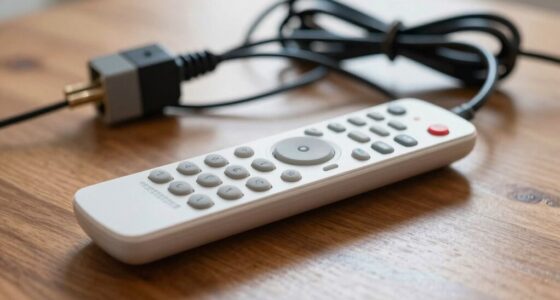
If your remote isn’t syncing, start by replacing the batteries with fresh, high-quality ones, and verify they’re inserted correctly. Check for obstructions or interference from other devices or sunlight that may block signals. Reset both the remote and the device, and clean the battery contacts for good contact. If problems persist, confirm the remote’s compatibility and consider recalibrating or pairing it anew. For detailed steps, you’ll find helpful tips to get your remote working smoothly again.
Key Takeaways
- Check and replace weak or dead batteries, ensuring correct polarity and clean contacts.
- Remove obstructions and reduce interference sources like electronics or ambient light.
- Reset both remote and device by removing batteries, waiting, then reassembling.
- Confirm remote-device compatibility and perform initial setup or pairing if needed.
- Reposition the remote for a clear line of sight and avoid electronic interference.
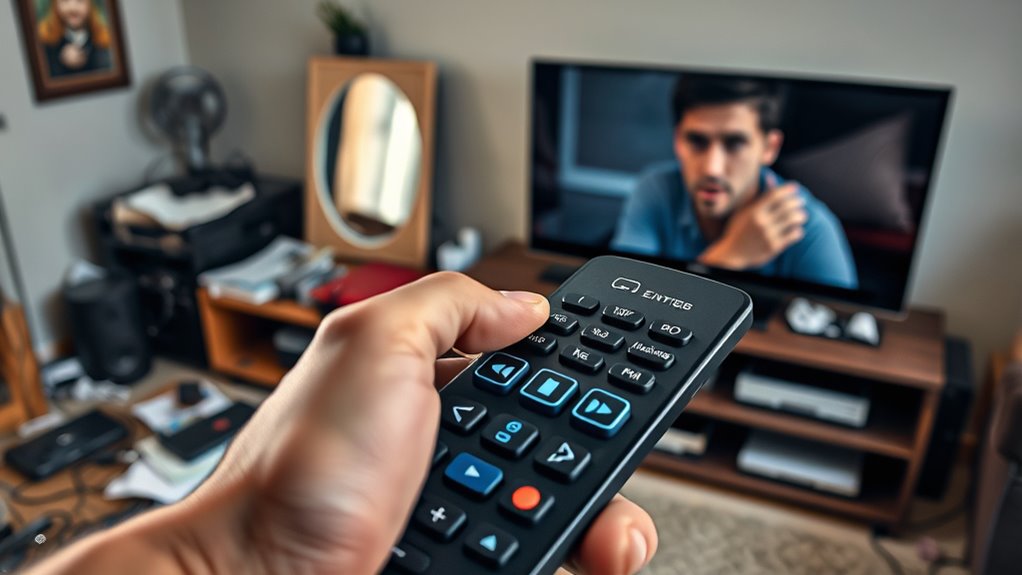
Sync problems with your remote control can be frustrating, but many issues are quick to fix. Often, the root cause comes down to simple problems like battery issues or signal interference. Before you start worrying about complex repairs, it’s worth checking these common culprits first.
Start by inspecting the batteries. Weak or dead batteries are a leading cause of remote control sync issues. If your remote isn’t responding consistently or if buttons feel less responsive, replace the batteries with fresh, high-quality ones. Make sure you insert them correctly, paying attention to the polarity markings inside the compartment. Sometimes, even new batteries can be faulty or drained, so swapping them out is a quick step that can save you hours of frustration. Also, clean the battery contacts with a dry cloth or a little rubbing alcohol to ensure good electrical contact. Poor connections here can cause intermittent signals and prevent the remote from syncing properly.
Next, consider signal interference. Remote controls rely on infrared (IR) or radio frequency (RF) signals to communicate with your device. Obstacles between the remote and the receiver can block or weaken the signal, leading to sync problems. Make sure there are no objects blocking the path between the remote and the TV or other device. Sometimes, ambient light sources like fluorescent bulbs or sunlight can interfere with IR signals. If you’re using an IR remote, try reducing the distance or changing the angle to see if the remote responds better. For RF remotes, ensure there are no electronic devices nearby that could cause interference, like routers, cordless phones, or other wireless gadgets. Moving these away from the receiver or remote can often resolve syncing issues. Additionally, HEPA filtration and other advanced features in some remotes can sometimes require an initial setup or calibration which, if overlooked, can cause sync problems.
Another simple fix is to reset the remote and the device. Remove the batteries from the remote, wait a few seconds, then reinsert them. Sometimes, this resets the remote’s internal memory and clears minor glitches. You can also power cycle the device you’re trying to control—turn it off, unplug it for a minute, then plug it back in. Once you’ve done this, try pairing or syncing the remote again. Often, these small steps re-establish a clean communication line between the remote and the device.

Duracell 2032 Lithium Battery, 4 Count, AirTag & Key Fob, CR2032 3V Cell
- Compatibility: Works with AirTag and key fobs
- Child Safety: Bitter taste coating on both sides
- Longevity: Lasts longer than Energizer 2032
As an affiliate, we earn on qualifying purchases.
As an affiliate, we earn on qualifying purchases.
Frequently Asked Questions
How Can I Reset My Remote Control to Factory Settings?
To reset your remote control to factory settings, start with a remote reset by removing the batteries and pressing any button for 30 seconds. Then, reinsert the batteries and perform a factory restore if your remote supports it—usually by pressing a specific combination of buttons. This process clears custom settings and restores the remote to its original state, helping fix any sync issues or glitches.
What Should I Do if the Remote’S Batteries Are New but Not Working?
If your remote’s batteries are new but it still doesn’t work, check for battery corrosion or leaks, which can hinder performance. Also, verify there’s no signal blockage by keeping obstacles away from the remote and the device. Sometimes, the remote may need a reset or re-pairing. Clean the battery contacts gently with a cloth if you notice corrosion, and test the remote again to see if it responds.
Can Environmental Factors Interfere With Remote Control Signals?
Think of your remote control like a flashlight beam; environmental factors can block or distort its signal. Electromagnetic interference from devices like routers or cordless phones, or physical obstructions such as furniture or walls, can disrupt communication. You might find that moving closer or away from the device or reducing interference sources improves function. Environmental factors definitely can interfere with remote control signals, so it’s worth checking your surroundings.
Is It Possible to Program a Universal Remote for Multiple Devices?
You can definitely program a universal remote for multiple devices. It offers universal compatibility, allowing you to control TVs, DVD players, and sound systems with one device. To do this, you’ll need to follow device programming steps specific to your remote, which typically involve entering codes or using auto-search functions. Once set up, it simplifies your entertainment setup and reduces the need for multiple remotes cluttering your space.
How Do I Update the Firmware of My Remote Control?
To update your remote control’s firmware, first check the manufacturer’s website for the latest remote firmware and update process. Usually, you’ll need to download the firmware file onto a USB drive or connect your remote to a computer via a cable. Follow the instructions carefully, ensuring your remote remains powered during the update. This helps keep your remote functioning smoothly with the latest features and fixes.

LPHUMEX 2 Pack Universal Ceiling Fan Remote Control Kits, Small Size Receiver Fan Speed, Light and Timing Remote for Harbor Breeze/Westinghouse/Honeywell/Other Ceiling Fan lamp
- Compact Receiver Size: Small size for easy canopy fit
- Universal Compatibility: Fits 95% of AC motor fans
- Easy Installation: Includes wire nuts and installation guide
As an affiliate, we earn on qualifying purchases.
As an affiliate, we earn on qualifying purchases.
Conclusion
Most remote control sync issues are easily fixable with simple steps. Did you know that over 60% of remote problems are caused by low batteries or signal obstructions? By ensuring your batteries are fresh and your remote has a clear line of sight, you can often resolve the problem quickly. Don’t let frustration take over—try these tips first, and you’ll be back to enjoying your favorite shows in no time.

Acxico 1Pcs Remote Control Replacement for Ilife A4S A4 V5S V5 Pro Series Vacuum Cleaner Accessories
- Material: ABS plastic
- Compatibility: Fits ILIFE V3s, A4, V5, V7 series
- Functionality: Controls movement, cleaning, charging
As an affiliate, we earn on qualifying purchases.
As an affiliate, we earn on qualifying purchases.

DEWENWILS Indoor Remote Control Outlet No Wiring, 100FT RF Range
- Easy to Use: Plug and control without programming
- Remote with Keychain: Portable remote control with 100FT range
- Long RF Range: Operates through walls and doors up to 100 feet
As an affiliate, we earn on qualifying purchases.
As an affiliate, we earn on qualifying purchases.