To keep your smart fan routines from conflicting with weather changes, you should set up adaptive routines based on real-time weather data. Use weather triggers like temperature, humidity, and forecasts to adjust fan operation automatically. Avoid static schedules that ignore environment shifts, and incorporate automation tools to respond proactively. Regularly update your routines for better responsiveness, ensuring smooth operation that adapts to changing conditions. Keep exploring ways to improve your setup for seamless climate control.
Key Takeaways
- Use weather-based triggers to automatically adjust fan routines according to real-time conditions.
- Incorporate local weather forecasts to proactively modify routines before significant changes occur.
- Set specific thresholds for temperature and humidity to prevent routines from conflicting during minor weather fluctuations.
- Automate routine adjustments to turn fans off or lower speed during rain or cooler weather.
- Regularly monitor and update routines to ensure they align with current weather patterns and avoid conflicts.

As outdoor weather shifts, your smart fan routines can become inconsistent or less effective. The temperature changes, humidity levels, and unpredictable weather patterns can throw off your carefully set routines, making it harder to stay comfortable. You might find yourself adjusting your smart fan manually more often or struggling with voice command issues that don’t respond as expected. To keep your routines running smoothly, it’s essential to focus on routine customization and troubleshoot common voice command problems. When your routines are tailored to the current weather, your smart fan can adapt effortlessly, maintaining the perfect indoor climate without constant manual adjustments.
Start by updating your routines to account for varying weather conditions. Many smart home platforms allow you to create multiple routines based on specific weather triggers. For instance, you can set a routine to turn on the fan when the temperature exceeds a certain threshold or when the humidity reaches a certain level. These custom routines automatically activate without you needing to intervene, ensuring your home stays comfortable regardless of outdoor changes. Routine customization gives you control over how your smart fan responds, making it easier to match your preferences with real-time weather data. Incorporating weather-based triggers can further enhance these routines by making them more responsive to the environment. Additionally, integrating local weather forecasts can improve the accuracy of these automated responses. Using smart home automation tools** can also help streamline these adjustments, reducing manual effort and enhancing efficiency. Being aware of weather patterns** can help you anticipate changes and adjust your routines proactively.
Voice command issues can also disrupt your routines, especially when the weather is changing rapidly or if your smart home system isn’t properly calibrated. If your commands aren’t recognized or the fan doesn’t respond as expected, try checking the microphone and ensuring your voice assistant is configured correctly. Sometimes, background noise or a weak Wi-Fi connection can interfere with voice recognition. To minimize this, speak clearly and ensure your device is within range. Additionally, updating your voice assistant’s software or re-training the system to recognize your voice can improve accuracy and responsiveness.
Another way to prevent your routines from fighting the weather is to use automation tools within your smart home app. Many platforms allow for weather-based triggers that automatically modify routines based on current conditions. For example, you could set your smart fan to operate at lower speeds during cooler days or turn off altogether if rain is forecasted. These automations eliminate the need for constant manual adjustments and reduce the likelihood of conflicting routines.
In essence, staying on top of routine customization, troubleshooting voice command issues, and leveraging automation tools will help your smart fan adapt to changing weather seamlessly. This way, you won’t have to worry about your routines fighting against the weather — instead, they’ll work harmoniously to keep your home comfortable and energy-efficient.
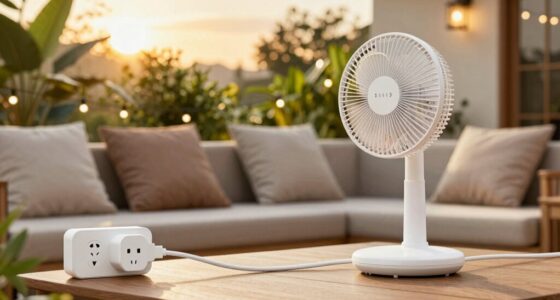
smart fan with weather-based automation
As an affiliate, we earn on qualifying purchases.
As an affiliate, we earn on qualifying purchases.
Frequently Asked Questions
Can Smart Fans Automatically Adjust Based on Humidity Levels?
Yes, smart fans can automatically adjust based on humidity levels if they have humidity sensors integrated into their climate control systems. These sensors detect changes in moisture, allowing your smart fan to respond by increasing or decreasing airflow to maintain ideal comfort. This automatic adjustment helps prevent issues caused by high humidity, ensuring your indoor environment stays comfortable and balanced without manual intervention.
How Do I Manually Override Smart Fan Routines During Weather Fluctuations?
Imagine holding the reins of a wild stallion—you can steer it through unpredictable weather. To manually override your smart fan routines, access your app’s settings and select ‘manual control.’ This lets you pause or adjust routines, giving you full routine customization. You become the master of your climate, ensuring comfort regardless of weather fluctuations. Take control, and let your environment follow your lead.
What Sensors Are Needed for Accurate Weather-Based Smart Fan Adjustments?
To guarantee accurate weather-based smart fan adjustments, you’ll need sensors like a weather station or outdoor temperature and humidity sensors. Make certain to calibrate these sensors regularly to maintain data accuracy; sensor calibration is key. Accurate data helps your smart system respond properly to changing weather conditions, preventing mismatched fan behavior. Properly calibrated sensors give you reliable readings, ensuring your fan routines adjust smoothly with weather fluctuations.
Do Smart Fan Routines Work With All Weather Forecast Apps?
You can’t judge a book by its cover, but smart fan routines don’t always sync perfectly with all weather forecast apps. Some apps integrate better, supporting your energy efficiency goals and user preferences, while others may cause conflicts. To avoid surprises, choose apps with robust compatibility and customizable settings. This way, your smart fan adapts smoothly to weather changes, saving energy and aligning with your comfort needs.
How Often Should I Update My Smart Fan’s Weather Data Settings?
You should update your smart fan’s weather data settings regularly, ideally once a week, to guarantee accurate temperature calibration and efficient power consumption. Frequent updates help your fan respond appropriately to changing weather conditions, preventing energy waste and maintaining comfort. Keep an eye on local forecasts and adjust settings as needed, especially during significant weather shifts, to optimize performance and avoid unnecessary power usage.

Amico 52 Inch Smart Ceiling Fans with Lights, Downrod Mount, WiFi, Black
- Smart Ceiling Fan with Lights: Includes remote and WiFi control
- Ideal for Medium to Large Rooms: 52-inch span fits bedrooms and living rooms
- Multiple Control Options: Remote, app, voice, and wall switch
As an affiliate, we earn on qualifying purchases.
As an affiliate, we earn on qualifying purchases.
Conclusion
By fine-tuning your smart fan routines to respect the weather’s whims, you create a harmonious indoor climate that adapts seamlessly. Imagine a summer evening where your fan gently kicks in as the warmth lingers, then quietly rests as the breeze turns cool. This balance prevents constant adjustments and keeps comfort steady. Embrace the dance between technology and weather, and let your smart fan work with nature, not against it, for a perfectly temperate home every time.
smart home weather trigger devices
As an affiliate, we earn on qualifying purchases.
As an affiliate, we earn on qualifying purchases.
As an affiliate, we earn on qualifying purchases.